
8W Game APK in Pakistan: Safety, Features, Installation
3:32PM 10/7/2026
7.04MB
v4.2
Android
1M+

Description
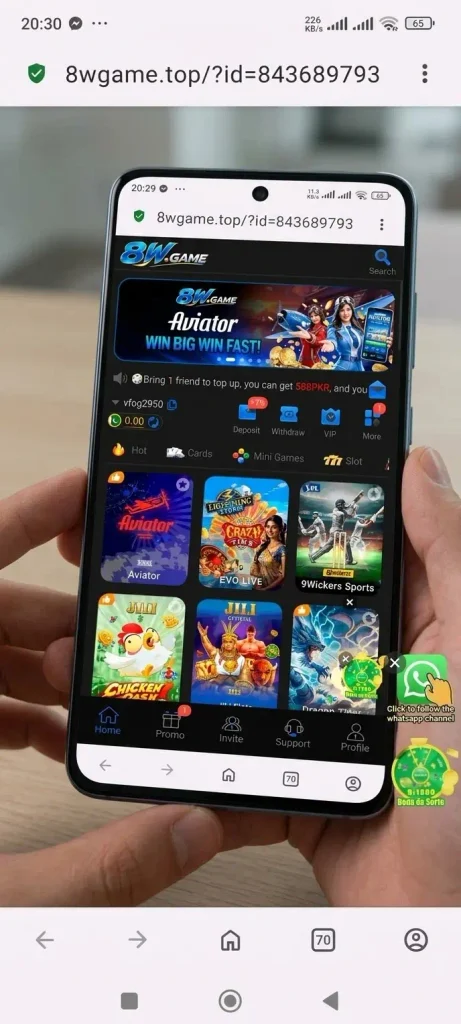
Mobile casino and gaming applications are increasingly distributed as Android APK files, especially when an app is not available through the Google Play Store. 8w game is a term users may search for when looking for information about a third-party mobile gaming application, its APK format, compatibility, and safety.
Before installing any APK, however, it is important to understand what you are actually downloading. An y999 game can install software directly on an Android phone, but a file from an unknown website can also contain unwanted or harmful code. This guide explains APK basics, installation considerations, permissions, privacy, payment risks, and practical ways to evaluate a third-party gaming app.
What Is an APK File?
APK stands for Android Package Kit. It is the file format Android uses to distribute and install applications.
When an application is downloaded outside the Google Play Store, users may receive an .apk file instead of installing the app through the normal Play Store process.
An APK can contain:
- The application itself
- Images and other resources
- Configuration files
- Software libraries
- Information required for installation
The APK format itself is not dangerous. The main concern is where the file came from and what software it contains.
How Third-Party Mobile Gaming Apps Work
A third-party gaming application generally works like other Android apps. After installation, it may connect to online servers to provide account features, games, notifications, and other services.
Depending on the particular application, users may encounter features such as:
- Account registration
- User login
- Game categories
- Account balance information
- Customer support
- Notifications
- Payment-related functions
- Promotional sections
These features do not automatically make an application trustworthy. Users should independently check the application’s developer, permissions, privacy practices, and reputation before providing personal information.
What to Check Before Installing an APK
Installing software from outside an official app store requires more care than installing a normal Play Store application.
Before opening an APK file, check:
1. Source of the APK
Avoid downloading APK files from random pop-ups, shortened links, unknown forums, or websites that force multiple redirects.
A more trustworthy source should clearly identify:
- The application developer or operator
- An official website or support channel
- The current application version
- Privacy information
- Terms of service
- Contact details
The presence of these details does not guarantee safety, but their absence is a warning sign/.
2. APK Verification
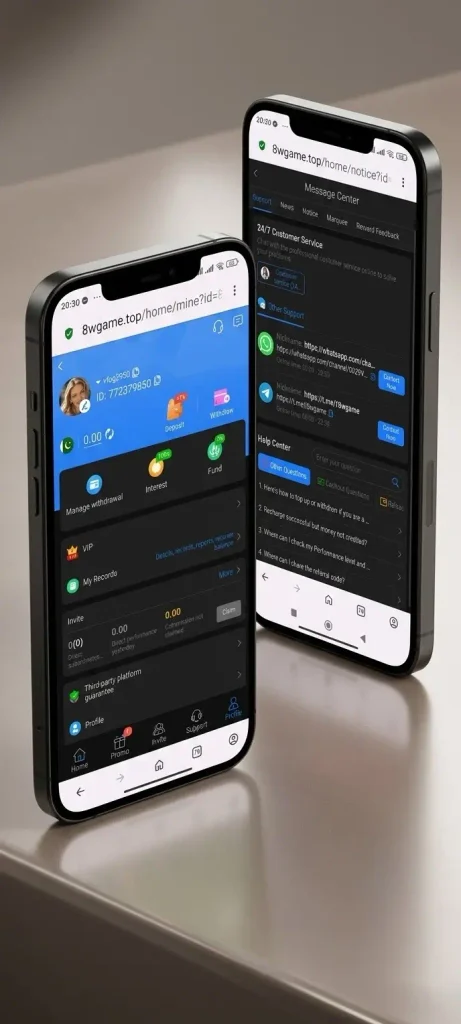
APK verification can help determine whether a downloaded file is what it claims to be.
Useful checks include:
- Comparing the APK version with the developer’s published version
- Checking the file with reputable security software
- Looking for reports of malware or suspicious behavior
- Checking whether the download page has been altered or redirected
- Avoiding modified or “unlocked” APK versions
A file described as a “mod APK,” “hack,” or “unlimited version” deserves particular caution because its contents may have been changed.
Android APK Safety and App Permissions
Permissions deserve careful attention because an application can potentially access information or device functions depending on what Android permissions it requests.
For a gaming application, consider whether requested permissions are actually necessary.
Be cautious if an unrelated gaming app requests access to:
- Contacts
- SMS messages
- Microphone
- Camera
- Precise location
- Accessibility services
- Files and media beyond what is reasonably required
Do not automatically approve every permission simply because the application asks for it.
Android also allows users to review and manage permissions through the device’s app settings.
Privacy Considerations
A mobile gaming application may collect information such as account details, device information, usage data, or payment-related information.
Before registering, look for a privacy policy explaining:
- What information is collected
- Why the information is collected
- Whether information is shared with other companies
- How long information is retained
- How users can request account or data deletion
- What security measures are used
If an application requests sensitive information but provides no meaningful privacy explanation, that should be treated as a significant warning sign.
Payment-Related Concerns
Payment functionality requires extra caution.
Never assume that a payment option displayed inside an app means the transaction is automatically secure. Users should verify the recipient, transaction method, fees, and withdrawal conditions before sending money.
Before making a payment, check:
- Whether the payment recipient matches the expected business
- Whether fees are clearly disclosed
- Minimum and maximum transaction limits
- Withdrawal requirements
- Refund policies
- Account verification requirements
- Whether transaction records are provided
Never send money because someone claims you must pay an additional fee to unlock guaranteed winnings or release a balance. Such demands can be a warning sign of fraud.
Is an APK Safe for Android Phones?
An APK can be safe, but the APK file format itself does not prove that an application is safe.
Safety depends on factors such as:
- Who created the application
- Where the APK came from
- Whether the file has been modified
- What permissions it requests
- What information it collects
- How its online services operate
- Whether reputable security tools detect suspicious behavior
Android users should keep their operating system and security protections updated and avoid disabling security features simply to install an application.
Compatibility With Android Devices
Not every APK works on every Android phone.
Compatibility can depend on:
- Android version
- CPU architecture
- Screen and hardware requirements
- Required Android libraries
- Available storage
- Application version
An APK may install successfully but still fail to work correctly if the application does not support the device or Android version.
Before installation, check the application’s stated minimum Android requirements where they are available.
How to Identify a More Trustworthy Source
There is no single sign that proves an APK website is legitimate. Instead, look at several factors together.
A source is more credible when it provides:
- Clear developer information
- A consistent official domain
- HTTPS-secured pages
- Privacy and terms information
- A clear support method
- Transparent version information
- No aggressive download redirects
- No promises of guaranteed profits
Be particularly skeptical of websites claiming that users can always win, earn a fixed amount every day, or receive unusually large rewards simply for installing an application.
Common Red Flags
Stop and investigate further if you encounter any of these signs:
- The APK comes from an unknown uploader.
- The website uses many forced redirects.
- The application asks for unnecessary permissions.
- The developer’s identity is unclear.
- There is no privacy policy.
- The app requests sensitive information without explanation.
- A modified APK is advertised as risk-free.
- The site promises guaranteed winnings.
- You are pressured to deposit money immediately.
- Customer support exists only through an unverified account.
- The download requires disabling important Android security protections.
Several red flags together are a strong reason not to install the application.
Responsible Use of Mobile Gaming Applications
Users should also consider the nature of the service itself.
If an application involves real-money gaming or casino-style activities, users should check whether such activity is legal and appropriately regulated in their jurisdiction. Laws and regulations can differ, and availability of an APK does not mean that the service is legally authorized.
Users should also avoid spending money they cannot afford to lose and should never treat gambling as a reliable source of income.
What Should You Do If an APK Seems Suspicious?
If you have downloaded an APK but have not installed it, the safest option is to avoid opening it until you can verify the source.
If you already installed a suspicious application:
- Disconnect it from unnecessary permissions.
- Uninstall it if you do not trust it.
- Run a reputable security scan.
- Change passwords if you entered sensitive credentials.
- Monitor financial accounts for unusual activity.
- Contact your payment provider if you notice an unauthorized transaction.
Do not provide additional personal information to someone claiming they can “fix” the suspicious application or recover money for an upfront fee.
Frequently Asked Questions
What does APK mean?
APK means Android Package Kit. It is the standard package format used to install applications on Android devices.
Is downloading an APK automatically unsafe?
No. APK files are a normal Android software format. The important issue is whether the file comes from a trustworthy source and whether the application itself is safe.
Can an APK contain malware?
Yes. A malicious APK can contain harmful software. This is why APK verification and downloading from reputable sources are important.
Should I allow every permission an APK requests?
No. Review permissions carefully and only allow access that is reasonably necessary for the application’s stated functionality.
Can every Android phone install the same APK?
No. Compatibility varies according to Android version, hardware architecture, application requirements, and other technical factors.
Is an APK from outside Google Play automatically illegal?
No. The legality of an application depends on the application, its operator, the activity involved, and applicable laws. Being distributed outside Google Play does not by itself determine legality.
Is it safe to enter payment information into a third-party gaming app?
You should not assume it is safe. First verify the operator, payment method, privacy practices, security protections, and applicable legal requirements.
What is the safest way to evaluate a mobile gaming APK?
Start with the source, developer identity, permissions, privacy policy, security reputation, compatibility requirements, and payment practices. If several important details cannot be verified, avoid installing the file.
Final Thoughts
An APK is simply an Android application package, but the source and contents of a third-party APK matter considerably. For Pakistan mobile users researching gaming applications, the safest approach is to verify the developer, inspect permissions, understand privacy practices, check compatibility, and carefully evaluate any payment features before installation.
Most importantly, never confuse an available download with proof that an application is trustworthy, secure, legal, or financially worthwhile. A cautious verification process is more useful than promises of guaranteed rewards or winnings.